

BUSINESS COMMUNICATIONS MANAGER (BCM)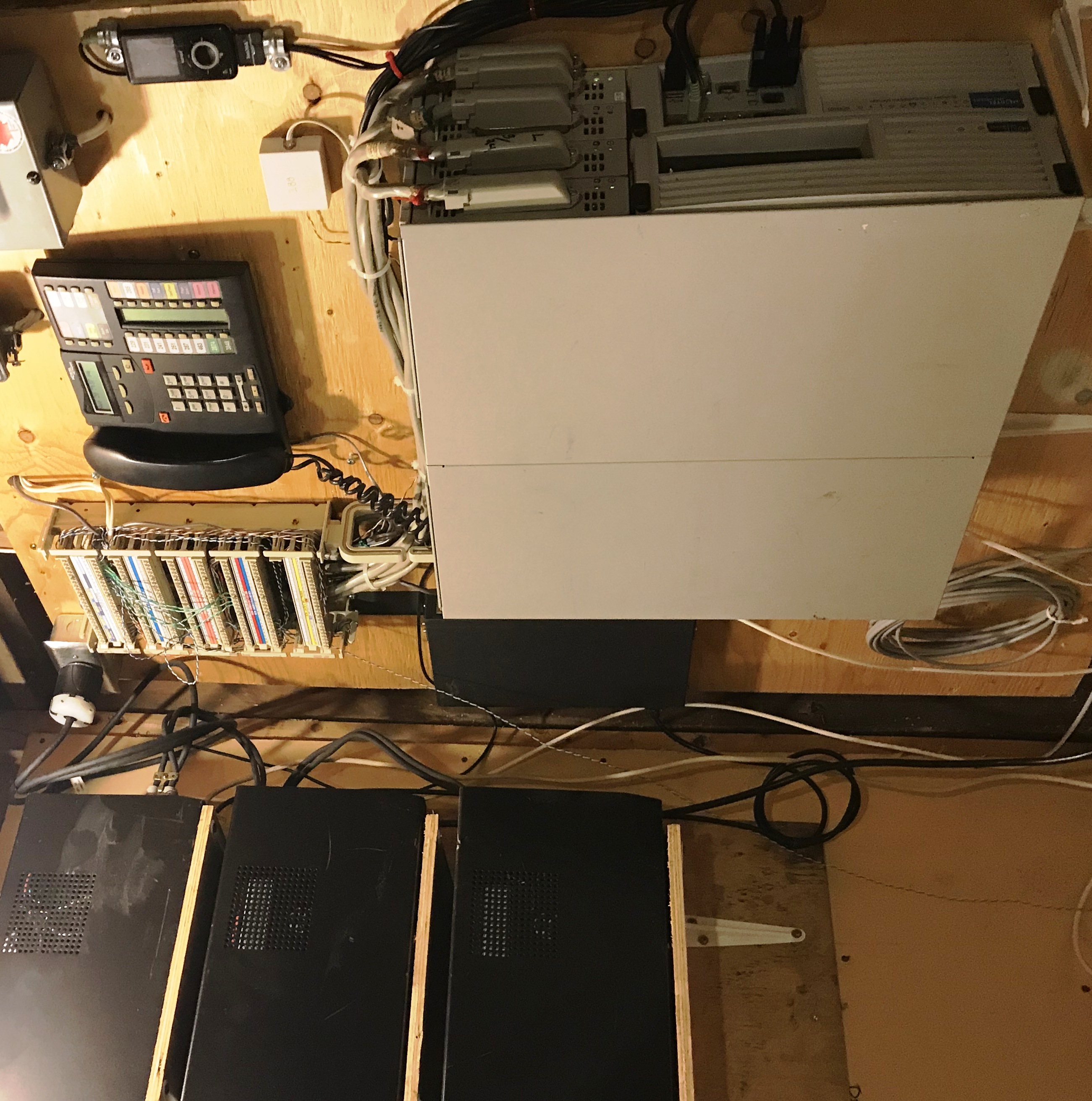 8X16 + 2X8GASM BCM400 Installation
Many Nortel Networks BCM50, BCM200, BCM400 and BCM450 systems, as well as Meridian and Norstar, remain in operation.
Despite EOS, EOL and End-of-Support from Avaya, there is still a network of technicians supporting this product globally.
Please contact us for options for keeping your venerable system in service!
Overview

TROUBLESHOOTING:
Alarms
Norstar/Companion Alarm Code Manual
Flashing Lights
Base Function Tray
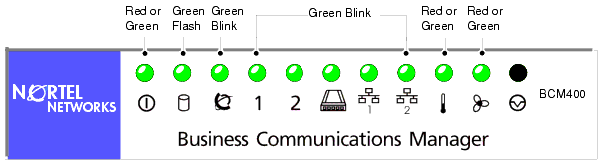
Steady Green = OK, services functioning
Disk: Flashing Green = Drive Activity
Status: Blinking Green = one or more telephony service failed, or not yet loaded
MSC, WAN, MODEM, LAN: Flashing Green = driver failed or not yet loaded
POWER, TEMP, FAN: Steady Red = power supply failure, over temperature, fan failed
Advanced Function Tray
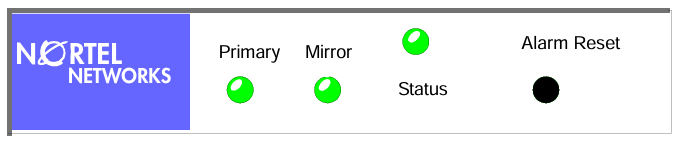
PRIMARY/MIRROR LEDs:
Steady Green = Drive installed on current channel
Flashing Orange = Scanning channel for drive(s)
Steady Red = Drive not installed
Flashing Red = Drive has failed
Steady Orange = Drive activity
Flashing Green = Drive is marked as bad
STATUS LED:
Steady Green = Drives in mirror mode, data identical
Flashing Green = Drives may not be identical
Solid Red = Drives are not in mirror mode
Flashing Red = Copy/Compare in progress
Orange = Copy/Compare in progress (under Windows)
Some great resources for the Nortel BCM400:
Mike's PBX Cookbook Tek-Tips BCM FAQ Voice Communications
please note: Verulam Telephone is not affiliated with, or responsible for any content in the above websites, they are just really cool!
! Random thoughts:
-when reinstalling BCM 3.7 (Windows NT4.0 version,) or changing out the hard-drive: make sure that you plug the hard drive back into the IDE 0 slot. BCM 3.7 will NOT boot from IDE 1.
-periodically power the system down, disconnect power cable, and pull the trays out one by one. Blow out any fluff or dust bunny colonies and reseat all your connectors.
BCM400 3.7 Software
Nortel IP Softphone 2050
In my personal opinion, Version 2.00.0239 is far better than Version 1.40.0363 that was included with BCM3.7, although both work equally well....And, it works with 64-bit Windows 10...
Keep your Hard Drive Clean
From time to time, a corruption in the file system may need to be cured with a run of CHKDSK. Unfortunately, if the file system on your BCM has been created, modified or accessed by another machine running anything from Windows 2000 or later, you may encounter an error such as:
This version of chkdsk cannot be run on this volume. You must boot
the version of NT that created/modified this volume and run chkdsk
from that installation. This NTFS volume was created or modified by
a later version of Windows NT.
This is because later versions of Windows will modify the metadata version of NTFS from 1.02 to 3.00 or higher...and presto, the old native CHKDSK designed for NT4.0 will not work. There are several workarounds described such as importing NTFSCHK, a utility to run the Windows 2000 version of CHKDSK and another utility called Mark4NTFS, however these are not reliable. What does work, is manually modifying the file version bytes back to 01 02 with a hex editor. We have had success using DSKPROBE.EXE which is found on the Windows NT4.0 Workstation Resources Kit. Once this is done, CHKDSK will execute normally whenever required. Click here for detailed instructions on this process.
BCM400 Hardware
As the BCM End-Of-Life and End-of-Support have come and gone, live systems seem to be fading from the wild. With a lot of New Old Stock and good condition used pulls, we've been trying out different combinations of hardware to keep our own systems running. No warranty is offered or liability accepted for the reliability of any of these modifications or combinations: thorough research, testing and due diligence are recommended before inserting any of these devices into a production or mission-critical environment.
Motherboard - NT7B1003
The SH815 motherboard is located in the Base Function Tray, and when the tray is seated, it connects to the adapter card that provides power and IDE connection to the main drive.
BCM200/400 motherboards seem to be interchangeable and have the same part number, however, there appears to be different processors and BIOS versions between BCM200 and 400.
In our test environment with a BCM400 MSC installed, the system identifies itself as a BCM200 - however no other functions appear to be different.
Media Services Card - NT5B15

The Media Services Card (MSC) connects to the BCM400 Base Function Tray (BFT) through a riser from the PCI slot on the SH815 motherboard. It provides digital signal processing, buses for Media Bay Modules and contains system programming on multiple FLASH/RAM chips. System memory is maintained by a supercapacitor. The MSC carries the DS2401 silicon serial number chip (U18) that provides the System ID. All feature licensing is driven by the System ID. When diagnosing hardware failures, before scrapping your MSC, be sure to try it on a new BFT, in order to preserve your licensed features.
SD Card to IDE Adapter
SINTECHI HighSpeed SD to CF Adapter V1.0:
-holds one SD card, connects to IDE with standard cable,
-powered by MOLEX hard drive power connector or FDD power connector
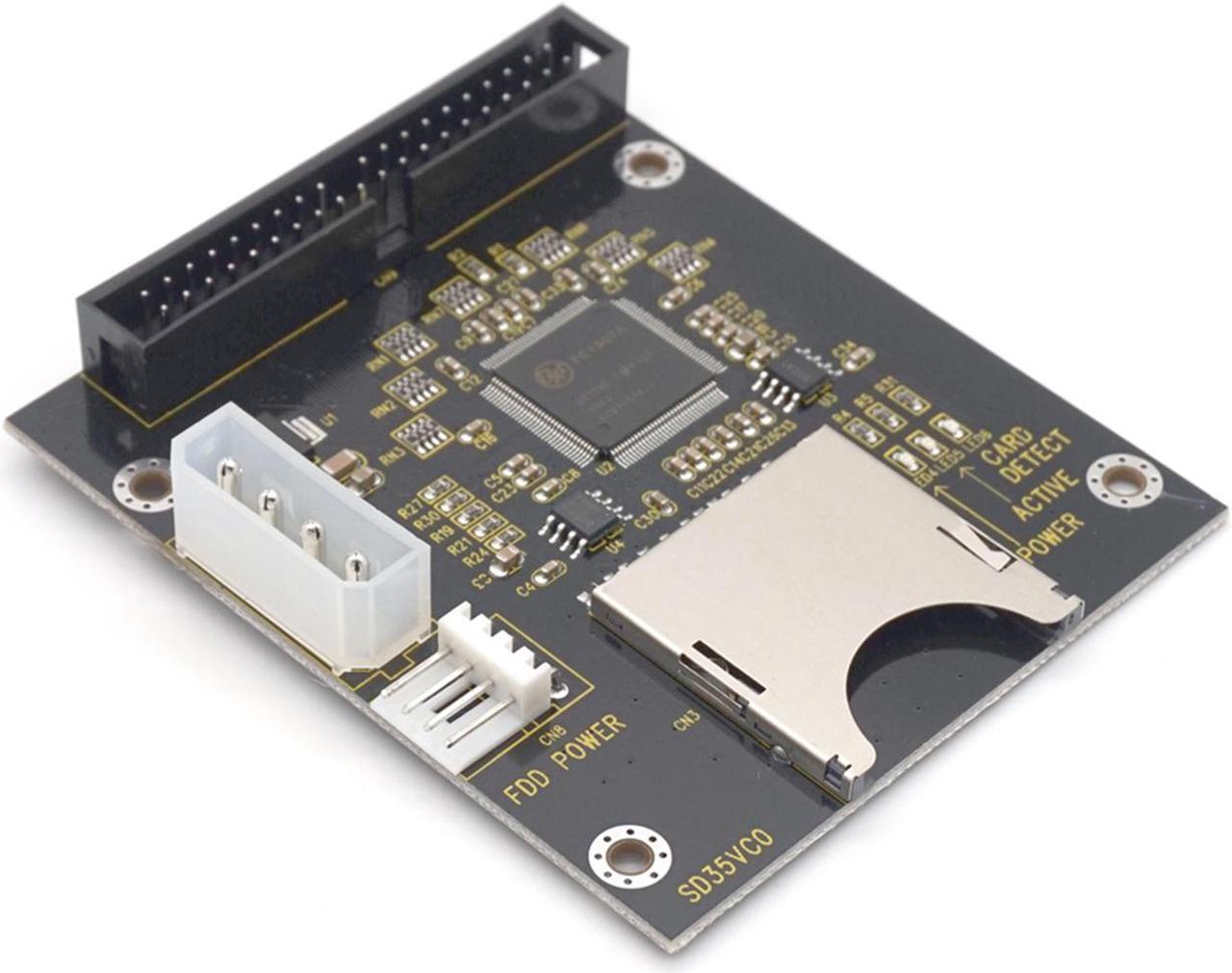 SD-to-IDE Adapter
Requires no special drivers, however BCM 3.7/NT4.0 copy must be clean for the BIOS to detect attached hard drive(s) reliably.
Use the fastest 32GB "high-endurance" SD card you can find.
Sandisk Ultra 80 MB/s and 100 MB/s cards have been in use on one of our production machines with reliable results.
SATA Drive Adapter
SOARLAND & HEXIN HXSP-0908 SATA 22-PIN Female to 3.5 inch IDE Adapter
-connects to IDE cable with standard cable
-powered by MOLEX hard drive power connector
-combined power and data connector
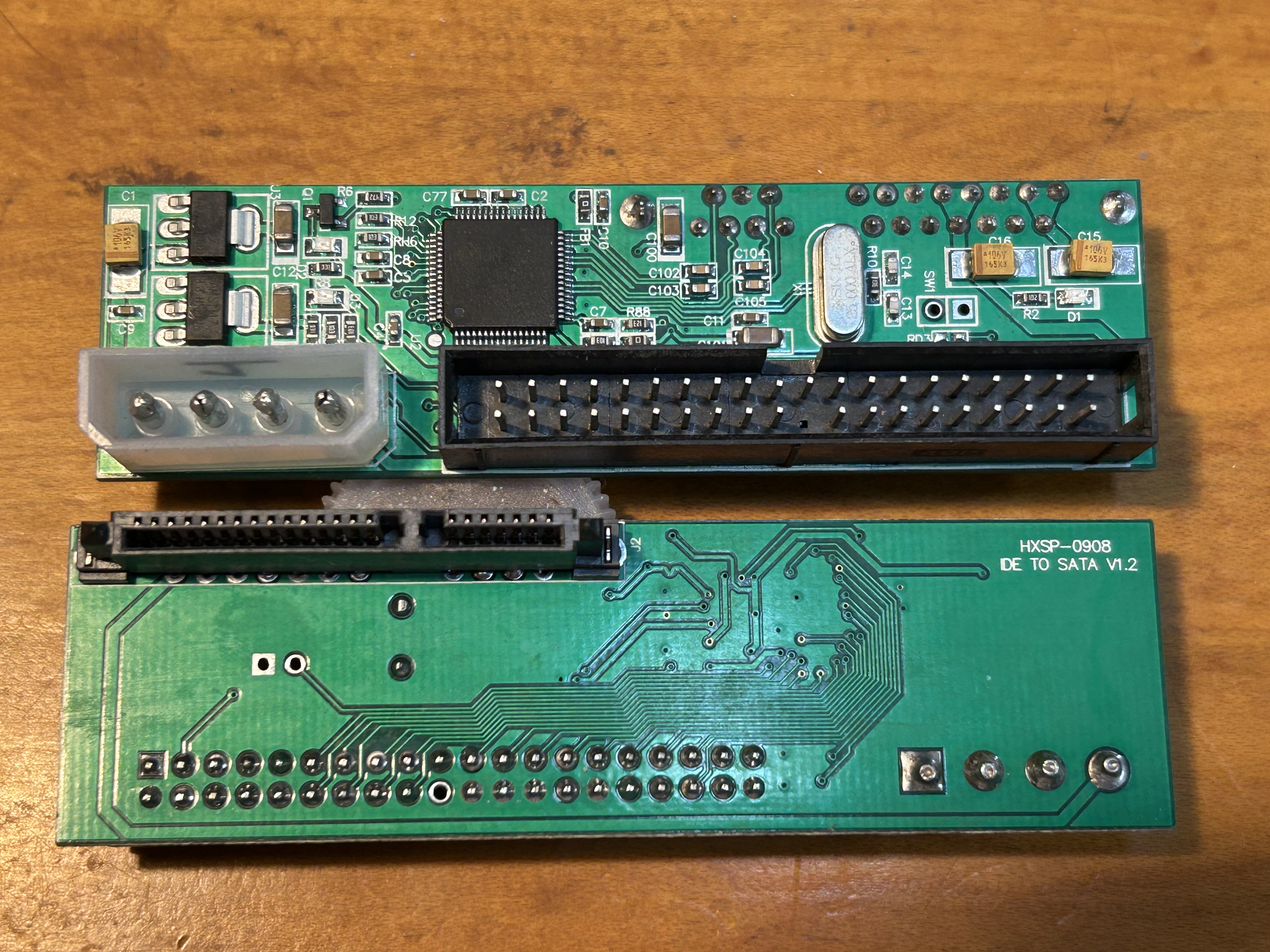 SATA to IDE Adapter
Requires no special drivers, however BCM 3.7/NT4.0 copy must be clean for the BIOS to detect attached hard drive(s) reliably.
SSD Drive Substitutes
Samsung 2.5 Inch SATA III SSD MZ-7PA1280/0D1 128GB
Dog Fish 2.5 inch SSD SSDMCEAC060B3A 120GB
aego RAINBOW 2.5" SATA III 480GB
- must be connected with a SATA drive adapter
- BCM 3.7/NT4.0 copy must be clean for the BIOS to detect hard drive(s) reliably.
- has been used with BCM 4.0 with fair results.
RAID1 Controller - NTAB9559E5
ARCO DupliDisk II BAY BIOS Version 3.23.3.05
-mounts in Advanced Function Tray
-connects to IDE0 connector with standard cable
-can connect up to 4 IDE hard drives using cable select jumpers
-connects two SD adapters or SSD hard drives
-two SD adapters and two SATA adapters have been tested, however we have not tried mixing them.
-drives do not have to be the same, however mirroring will reduce capacity of all to the smallest size drive connected.
-powered by FDD power connector

© 1987-2024 Verulam Telephone Company